 FsCDK
FsCDK
Getting Started with FsCDK - Extended Features
Welcome to the extended FsCDK! This guide will help you understand the new features and how to use them effectively.
What's New?
FsCDK now includes builders for:
- VPC & Networking - Secure, multi-AZ virtual private clouds
- RDS PostgreSQL - Managed databases with automated backups
- CloudFront - Global CDN for fast content delivery
- Cognito - User authentication with MFA support
All following AWS Well-Architected Framework best practices!
Quick Start Examples
1. Create a Secure VPC
#r "../src/bin/Release/net8.0/publish/Amazon.JSII.Runtime.dll"
#r "../src/bin/Release/net8.0/publish/Constructs.dll"
#r "../src/bin/Release/net8.0/publish/Amazon.CDK.Lib.dll"
#r "../src/bin/Release/net8.0/publish/System.Text.Json.dll"
#r "../src/bin/Release/net8.0/publish/FsCDK.dll"

open FsCDK

vpc "MyVpc" {
    maxAzs 2 // Multi-AZ for high availability
    natGateways 1 // Cost-optimized
    cidr "10.0.0.0/16" // IP address range
}
What you get:
- 2 public subnets (one per AZ)
- 2 private subnets with NAT gateway access
- DNS hostnames and support enabled
- Best practices baked in!
2. Add a PostgreSQL Database
Here's how to add a PostgreSQL database (shown in full stack example below):
rdsInstance "MyDatabase" {
    vpc myVpc
    postgresEngine // PostgreSQL 15
    instanceType (InstanceType.Of(InstanceClass.BURSTABLE3, InstanceSize.SMALL))
    allocatedStorage 20

    // Automatic best practices:
    // Encrypted storage
    // 7-day automated backups
    // Auto minor version upgrades
    // Private subnet placement

    multiAz true // High availability
    databaseName "myapp"
}
What you get:
- Encrypted database in private subnet
- Automated backups with 7-day retention
- Multi-AZ replication for HA
- Not publicly accessible (secure!)
3. Set Up User Authentication
open Amazon.CDK.AWS.Cognito

stack "MyApp" {
    // Create user pool
    let! myUserPool =
        userPool "MyUserPool" {
            signInWithEmail // Users sign in with email
            selfSignUpEnabled true // Allow self-registration
            mfa Mfa.OPTIONAL // Users can enable MFA

        // Automatic best practices:
        // Strong password policy (8+ chars, mixed case, digits, symbols)
        // Email verification required
        // Account recovery via email
        }

    // Create an app client
    userPoolClient "MyAppClient" {
        userPool myUserPool
        generateSecret false // For web/mobile apps
    }

// Automatic best practices:
// SRP authentication flow
// Prevents user existence errors
// Reasonable token expiration times
}
What you get:
- Secure authentication with strong passwords
- Email verification out of the box
- MFA support for enhanced security
- Industry-standard OAuth flows
4. Add a CDN for Fast Delivery
What you get:
- Global content delivery network
- Modern protocols (HTTP/2, IPv6)
- Secure by default (TLS 1.2+)
- Cost-optimized for common use cases
Complete Application Stack
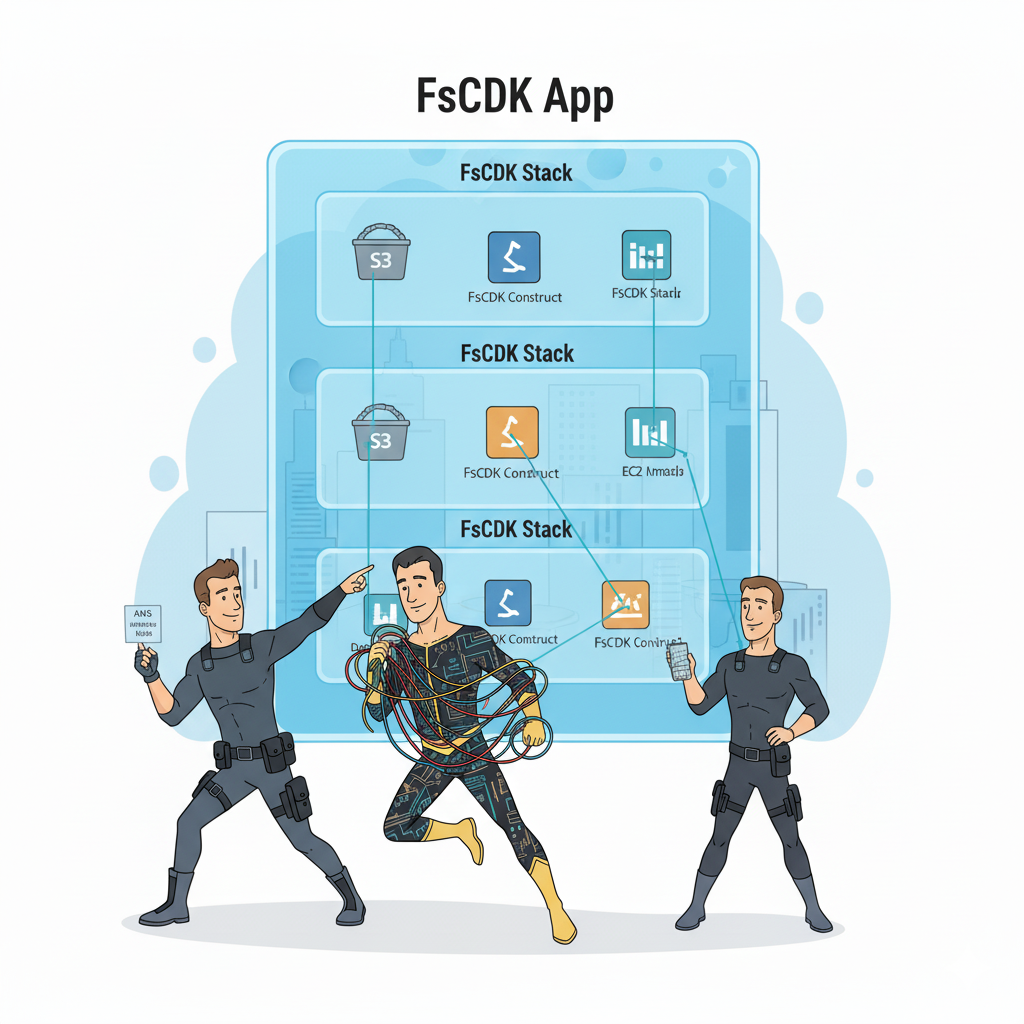
FsCDK App structure showing multiple stacks with constructs organized hierarchically. Each stack contains AWS resources (S3, Lambda, EC2) managed by your infrastructure-as-code heroes!
Here's how to combine everything into a production-ready stack:
open Amazon.CDK.AWS.S3
open Amazon.CDK.AWS.Lambda
Best Practices Baked In
FsCDK automatically applies AWS best practices:
Security
- Encryption enabled by default (S3, RDS)
- Security groups deny all by default
- Strong password policies
- Private subnet placement for databases
- No public database access
High Availability
- Multi-AZ VPC configuration
- Multi-AZ database replication
- Automated backups (7-day retention)
- Global CDN distribution
Cost Optimization
- Right-sized instance defaults (t3.micro)
- Single NAT gateway for dev/test
- Regional CDN pricing (PriceClass100)
- Pay-per-request database options
Performance
- HTTP/2 enabled for CDN
- IPv6 support
- Proper subnet segmentation
- Monitoring capabilities built-in
Common Patterns
Pattern 1: Web Application with Auth
stack "WebApp" {
    vpc "WebVpc" { () }

    userPool "Users" {
        signInWithEmail
        selfSignUpEnabled true
    }

    lambda "Api" {
        runtime Runtime.DOTNET_8
        handler "Api::Handler"
        code "./publish"
    }

    bucket "Assets" { versioned true }
}
Pattern 2: Data Processing Pipeline
stack "DataPipeline" {
    let! myVpc = vpc "DataVpc" { () }

    rdsInstance "DataWarehouse" {
        vpc myVpc
        postgresEngine
        multiAz true
    }

    lambda "Processor" {
        runtime Runtime.DOTNET_8
        handler "Processor::Handler"
        code "./publish"
        timeout 300.0 // 5 minutes for data processing
        memorySize 1024 // More memory for processing
    }

    bucket "DataLake" {
        versioned true
    // lifecycleRules [ /* ... */ ]
    }
}
Pattern 3: Serverless API with CDN
open Amazon.CDK.AWS.DynamoDB
Migration from Existing FsCDK
Good news! No breaking changes! Your existing code continues to work:
// Your existing code still works!
stack "MyStack" {
    lambda "MyFunction" {
        runtime Runtime.DOTNET_8
        handler "index.handler"
        code "./lambda"
    }

    table "MyTable" { partitionKey "id" AttributeType.STRING }
}

// Just add new features when you need them
stack "EnhancedStack" {
    // Existing services
    lambda "MyFunction" {
        runtime Runtime.DOTNET_8
        handler "index.handler"
        code "./lambda"
    }

    // New services
    let! myVpc = vpc "MyVpc" { () }

    rdsInstance "MyDB" {
        vpc myVpc
        postgresEngine
    }

    userPool "MyAuth" { signInWithEmail }
}
Learning Resources
- Examples: See Multi-Tier Example for a complete application
- Security: Read IAM Best Practices for security guidance
- API Docs: Check XML documentation comments in code
- AWS Docs: AWS CDK Documentation
Next Steps
- Install FsCDK:
dotnet add package FsCDK - Create your first VPC:
vpc "MyVpc" { } - Add a database:
rdsInstance "MyDB" { vpc myVpc; postgresEngine } - Deploy:
cdk deploy - Monitor in AWS Console
Getting Help
- Read the examples in the docs
- Check the test files for usage patterns
- Ask questions in GitHub Issues
- Reference AWS CDK documentation
Tips for Success
- Start Small: Begin with a simple VPC or database
- Use Defaults: FsCDK defaults are production-ready
- Review Generated Templates: Run
cdk synthto see CloudFormation - Test Incrementally: Deploy small changes frequently
- Follow Best Practices: Read the IAM best practices guide
Cost Management
Monitor your costs:
- Use
aws ce get-cost-and-usageCLI command - Set up AWS Budgets
- Review the cost estimates in examples
- Start with smaller instance types
- Use t3.micro for development
Troubleshooting
Build Errors
|
Deployment Issues
|
Resource Already Exists
|
What's Available?
FsCDK supports 30+ AWS services including:
- Load Balancers: Application Load Balancer (ALB), Network Load Balancer (NLB)
- DNS & Certificates: Route53 hosted zones, private zones, A records, Certificate Manager
- Containers: ECS/Fargate task definitions and services, ECR repositories, EKS clusters
- Databases: RDS (PostgreSQL, MySQL, etc.), DynamoDB, DocumentDB, ElastiCache
- Messaging: SNS, SQS, Kinesis streams, EventBridge
- Monitoring: CloudWatch alarms, dashboards, log groups, metric filters, X-Ray, Synthetics
- Security: KMS encryption, Secrets Manager, IAM roles and policies, OIDC providers
- API & Integration: API Gateway (REST & HTTP), AppSync GraphQL, Step Functions
- Storage & CDN: S3, CloudFront distributions
- Compute: Lambda functions with Powertools, App Runner, Elastic Beanstalk
See the full list of supported services in the documentation.
Ready to build secure, scalable infrastructure with F#? Let's go!
<summary>Creates a VPC configuration with AWS best practices.</summary>
<param name="name">The VPC name.</param>
<code lang="fsharp"> vpc "MyVpc" { maxAzs 2 natGateways 1 cidr "10.0.0.0/16" } </code>
<summary>Sets the maximum number of Availability Zones to use.</summary>
<param name="config">The current VPC configuration.</param>
<param name="maxAzs">The maximum number of AZs (default: 2 for HA).</param>
<code lang="fsharp"> vpc "MyVpc" { maxAzs 3 } </code>
<summary>Sets the number of NAT Gateways.</summary>
<param name="config">The current VPC configuration.</param>
<param name="natGateways">The number of NAT gateways (default: 1 for cost optimization).</param>
<code lang="fsharp"> vpc "MyVpc" { natGateways 2 } </code>
<summary>Sets the CIDR block for the VPC.</summary>
<param name="config">The current VPC configuration.</param>
<param name="cidr">The CIDR block (e.g., "10.0.0.0/16").</param>
<code lang="fsharp"> vpc "MyVpc" { cidr "10.0.0.0/16" } </code>
<summary>Creates an AWS CDK Stack construct.</summary>
<param name="name">The name of the stack.</param>
<code lang="fsharp"> stack "MyStack" { lambda myFunction bucket myBucket } </code>
<summary>Creates a Cognito User Pool with AWS best practices.</summary>
<param name="name">The user pool name.</param>
<code lang="fsharp"> userPool "MyUserPool" { signInWithEmail selfSignUpEnabled true mfa Mfa.OPTIONAL } </code>
<summary>Enables email only as sign-in alias.</summary>
<summary>Enables or disables self sign-up.</summary>
<summary>Sets MFA configuration.</summary>
<summary>Creates a Cognito User Pool Client.</summary>
<param name="name">The client name.</param>
<code lang="fsharp"> userPoolClient "MyAppClient" { userPool myUserPool generateSecret false } </code>
<summary>Sets the user pool.</summary>
<summary>Enables or disables secret generation.</summary>
<summary> Factory helpers to build common IBehaviorOptions for S3 and HTTP origins. These helpers are useful if you prefer to construct behaviors and pass them via defaultBehavior/additionalBehavior. </summary>
<summary>Creates a CloudFront distribution with AWS best practices.</summary>
<param name="name">The distribution name.</param>
<remarks> Example: cloudFrontDistribution "MyCDN" { s3DefaultBehavior myBucket defaultRootObject "index.html" domainName "static.example.com" priceClass PriceClass.PRICE_CLASS_100 } </remarks>
<summary>Sets the default behavior from a pre-built IBehaviorOptions.</summary>
<summary>Sets the default root object (e.g., "index.html").</summary>
<summary>Provides information about, and means to manipulate, the current environment and platform. This class cannot be inherited.</summary>
System.Environment.GetEnvironmentVariable(variable: string, target: System.EnvironmentVariableTarget) : string
<summary>Creates an AWS CDK Environment configuration.</summary>
<code lang="fsharp"> environment { account "123456789012" region "us-west-2" } </code>
<summary>Sets the AWS account ID for the environment.</summary>
<param name="config">The current configuration.</param>
<param name="accountId">The AWS account ID.</param>
<code lang="fsharp"> environment { account "123456789012" } </code>
<summary>Sets the AWS region for the environment.</summary>
<param name="config">The current configuration.</param>
<param name="regionName">The AWS region name.</param>
<code lang="fsharp"> environment { region "us-west-2" } </code>
<summary>Sets the stack description.</summary>
<param name="config">The current stack configuration.</param>
<param name="desc">A description of the stack.</param>
<code lang="fsharp"> stack "MyStack" { description "My application stack" } </code>
<summary>Adds tags to the stack.</summary>
<param name="config">The current stack configuration.</param>
<param name="tags">A list of key-value pairs for tagging.</param>
<code lang="fsharp"> stack "MyStack" { tags [ "Environment", "Production"; "Team", "DevOps" ] } </code>
<summary>Creates an RDS Database Instance with AWS best practices.</summary>
<param name="name">The database instance name.</param>
<code lang="fsharp"> rdsInstance "MyDatabase" { vpc myVpc postgresEngine PostgresEngineVersion.VER_15 instanceType (InstanceType.Of(InstanceClass.BURSTABLE3, InstanceSize.SMALL)) multiAz true backupRetentionDays 7.0 } </code>
<summary>Sets the VPC.</summary>
<summary>Sets PostgreSQL as the database engine with a specific version.</summary>
<summary>Enables or disables Multi-AZ deployment.</summary>
<summary>Sets the allocated storage in GB.</summary>
<summary>Sets the database name.</summary>
<summary> Enables or disables versioning for the S3 bucket. **Security Best Practice:** Enable versioning for: - Critical data that requires audit trails - Data subject to compliance requirements (HIPAA, SOC2, etc.) - Production buckets storing business data **Cost Consideration:** Versioning stores all versions of objects, increasing storage costs. Only disable for: - Temporary/cache buckets - Build artifacts with short lifecycle - Development/testing buckets **Default:** false (opt-in for cost optimization) </summary>
<param name="value">True to enable versioning, false to disable.</param>
<param name="config">The current bucket configuration.</param>
<code lang="fsharp"> bucket "production-data" { versioned true // Enable for production } bucket "cache-bucket" { versioned false // Disable for temp data } </code>
type BlockPublicAccess = inherit DeputyBase new: options: IBlockPublicAccessOptions -> unit member BlockPublicAcls: Nullable<bool> member BlockPublicPolicy: Nullable<bool> member IgnorePublicAcls: Nullable<bool> member RestrictPublicBuckets: Nullable<bool> static member BLOCK_ACLS: BlockPublicAccess static member BLOCK_ACLS_ONLY: BlockPublicAccess static member BLOCK_ALL: BlockPublicAccess
--------------------
BlockPublicAccess(options: IBlockPublicAccessOptions) : BlockPublicAccess
<summary>Creates a Lambda function configuration.</summary>
<param name="name">The function name.</param>
<code lang="fsharp"> lambda "MyFunction" { handler "index.handler" runtime Runtime.NODEJS_18_X code "./lambda" timeout 30.0 } </code>
<summary>Sets the runtime for the Lambda function.</summary>
<param name="config">The function configuration.</param>
<param name="runtime">The Lambda runtime.</param>
<code lang="fsharp"> lambda "MyFunction" { runtime Runtime.NODEJS_18_X } </code>
type Runtime = inherit DeputyBase new: name: string * ?family: Nullable<RuntimeFamily> * ?props: ILambdaRuntimeProps -> unit member RuntimeEquals: other: Runtime -> bool member ToString: unit -> string member BundlingImage: DockerImage member Family: Nullable<RuntimeFamily> member IsVariable: bool member Name: string member SupportsCodeGuruProfiling: bool member SupportsInlineCode: bool ...
--------------------
Runtime(name: string, ?family: System.Nullable<RuntimeFamily>, ?props: ILambdaRuntimeProps) : Runtime
<summary>Sets the handler for the Lambda function.</summary>
<param name="config">The function configuration.</param>
<param name="handler">The handler name (e.g., "index.handler").</param>
<code lang="fsharp"> lambda "MyFunction" { handler "index.handler" } </code>
<summary>Sets the code source from a Code object.</summary>
<param name="config">The function configuration.</param>
<param name="path">The Code object.</param>
<code lang="fsharp"> lambda "MyFunction" { code (Code.FromBucket myBucket "lambda.zip") } </code>
<summary>Sets the timeout for the Lambda function.</summary>
<param name="config">The function configuration.</param>
<param name="seconds">The timeout in seconds.</param>
<code lang="fsharp"> lambda "MyFunction" { timeout 30.0 } </code>
<summary>Sets the memory allocation for the Lambda function.</summary>
<param name="config">The function configuration.</param>
<param name="mb">The memory size in megabytes.</param>
<code lang="fsharp"> lambda "MyFunction" { memory 512 } </code>
<summary>Sets environment variables for the Lambda function.</summary>
<param name="config">The function configuration.</param>
<param name="env">List of key-value pairs for environment variables.</param>
<code lang="fsharp"> lambda "MyFunction" { environment [ "KEY1", "value1"; "KEY2", "value2" ] } </code>
<summary>Creates a DynamoDB table configuration.</summary>
<param name="name">The table name.</param>
<code lang="fsharp"> table "MyTable" { partitionKey "id" AttributeType.STRING billingMode BillingMode.PAY_PER_REQUEST } </code>
<summary>Sets the partition key for the table.</summary>
<param name="config">The current table configuration.</param>
<param name="name">The attribute name for the partition key.</param>
<param name="attrType">The attribute type (STRING, NUMBER, or BINARY).</param>
<code lang="fsharp"> table "MyTable" { partitionKey "id" AttributeType.STRING } </code>
<summary>Sets the billing mode for the table.</summary>
<param name="config">The current table configuration.</param>
<param name="mode">The billing mode (PAY_PER_REQUEST or PROVISIONED).</param>
<code lang="fsharp"> table "MyTable" { billingMode BillingMode.PAY_PER_REQUEST } </code>