 FsCDK
FsCDK
 Lambda production defaults
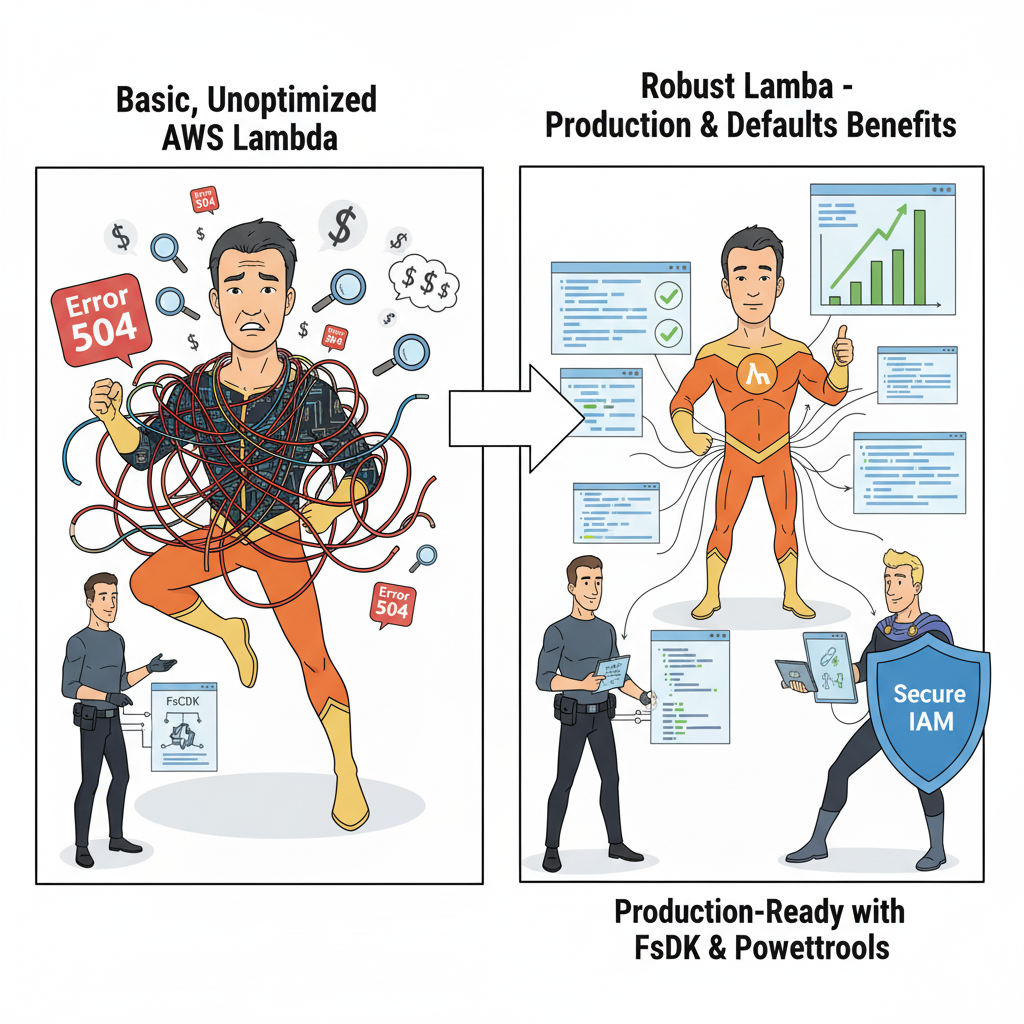
FsCDK bakes in the guidance from AWS Heroes Yan Cui, Heitor Lessa, and Alex Casalboni, along with the AWS Lambda Operator Guide, so every function starts production-ready without additional wiring.
Lambda Production Architecture

Why these defaults matter
Serverless workloads succeed when they: - Retain failed events – DLQs capture payloads for replay and debugging. - Control spend and contention – Reserved concurrency prevents noisy neighbours. - Emit rich telemetry – JSON logs, X-Ray tracing, and Powertools illuminate behaviour. - Fail predictably – Retry and event-age limits avoid infinite loops and stale updates.
FsCDK turns these best practices into defaults so you don’t have to wire them by hand.
Defaults applied to every function
Every Lambda function in FsCDK automatically gets these production-safe defaults:
Feature |
Default value |
Rationale |
|---|---|---|
Reserved concurrency |
|
Limits blast radius and mirrors Yan Cui's cost-control advice. |
X-Ray tracing |
|
Enables end-to-end tracing per Heitor Lessa's observability workshops. |
Logging format |
|
Unlocks CloudWatch Logs Insights and downstream analytics. |
Log retention |
|
Corey Quinn cost optimization: "Never store logs forever." Use logGroup builder for custom retention. |
Ephemeral storage |
|
AWS free tier default. Increase only when processing large files. |
Retry attempts |
|
Prevents infinite retry loops while allowing transient recovery. |
Max event age |
|
Avoids stale data processing as recommended in the Lambda operator guide. |
Dead-letter queue |
Auto-created SQS (14-day retention) |
Guarantees recoverability and audit trails. |
Lambda Powertools |
Enabled |
Adds structured logging, metrics, and tracing helpers automatically. |
Basic usage (defaults already applied)
#r "../src/bin/Release/net8.0/publish/Amazon.JSII.Runtime.dll"
#r "../src/bin/Release/net8.0/publish/Constructs.dll"
#r "../src/bin/Release/net8.0/publish/Amazon.CDK.Lib.dll"
#r "../src/bin/Release/net8.0/publish/FsCDK.dll"

#r "nuget: Amazon.CDK.Lib, 2.128.0"

open Amazon.CDK
open Amazon.CDK.AWS.Lambda
open FsCDK

let app = App()

stack "ProductionStack" {
    scope app

    lambda "OrderProcessor" {
        handler "index.handler"
        runtime Runtime.PYTHON_3_11
        code "./src"

        environment [ "TABLE_NAME", "orders-table"; "POWERTOOLS_SERVICE_NAME", "order-service" ] // Powertools auto-configured
    }
// Reserved concurrency = 10
// X-Ray tracing enabled
// JSON logging enabled
// DLQ auto-created: "OrderProcessor-dlq"
// Powertools layer added automatically
// Max event age = 6 hours
// Retry attempts = 2
}
Overriding defaults
When you understand traffic patterns and operational maturity, override the presets. Follow the decision points outlined in Production-Ready Serverless and validate changes through load tests before relaxing safeguards:
stack "CustomStack" {
    scope app

    // High-throughput function
    lambda "HighVolumeProcessor" {
        handler "index.handler"
        runtime Runtime.NODEJS_20_X
        code "./dist"

        // Override defaults
        reservedConcurrentExecutions 500 // Allow higher concurrency
        tracing Tracing.PASS_THROUGH // Disable X-Ray
        loggingFormat LoggingFormat.TEXT // Use plain text logs
        autoCreateDLQ false // Disable DLQ
        autoAddPowertools false // Skip Powertools layer
        maxEventAge (Duration.Hours(1.0)) // 1 hour instead of 6
        retryAttempts 0 // No retries
    }
}
Dead Letter Queue (DLQ) Auto-Creation
How it works
FsCDK provisions a standard SQS queue and wires it to the Lambda’s asynchronous failure destination—matching the blueprint from the AWS Lambda Operator Guide:
- Naming convention:
{FunctionName}-dlq - Retention: 14 days (enough to investigate issues and reprocess, per Yan Cui’s guidance)
- Queue type: Standard SQS
- Construct ID:
{ConstructId}-DLQ
lambda "PaymentProcessor" {
    handler "process_payment"
    runtime Runtime.PYTHON_3_11
    code "./payment-service"
}
// Automatically creates SQS queue: "PaymentProcessor-dlq"
// Failed events stored for 14 days
Manual DLQ configuration
Large or regulated workloads may require custom encryption, retention, or monitoring. The pattern below mirrors the approach described in the AWS Compute Blog post “Designing resilient asynchronous workflows with DLQs.”
open Amazon.CDK.AWS.SQS

stack "CustomDLQStack" {
    scope app

    // Create custom DLQ with specific settings
    let! customDlq =
        queue "critical-failures" {
            retentionPeriod (30.0 * 24.0 * 3600.0) // 30 days in seconds
            encryption QueueEncryption.KMS
        }

    lambda "CriticalFunction" {
        handler "index.handler"
        runtime Runtime.PYTHON_3_11
        code "./src"
        deadLetterQueue customDlq // Use custom DLQ
        autoCreateDLQ false // Disable auto-creation
    }
}
AWS Lambda Powertools integration
Created by AWS Principal Engineer Heitor Lessa, Lambda Powertools delivers the structured logging, metrics, and tracing helpers showcased in the Powertools Live Workshops (average rating 4.9★). FsCDK automatically layers these utilities so your handlers follow the same blueprint Heitor presents in re:Invent sessions.
Key capabilities
- Structured logging with correlation IDs
- Custom metrics without manual CloudWatch API calls
- X-Ray-compatible tracing helpers
- Input validation, idempotency utilities, and middleware patterns
Supported runtimes
Runtime |
Delivery |
Notes |
|---|---|---|
Python 3.8–3.12 |
AWSLambdaPowertoolsPython layer |
Latest version pinned automatically |
Node.js 14–20 |
AWSLambdaPowertoolsTypeScript layer |
Includes utilities for ESM and CommonJS |
Java 8, 11, 17 |
AWSLambdaPowertoolsJava layer |
Aligns with Powertools Java starter kit |
.NET 6+ |
NuGet packages |
Add |
For .NET, install the NuGet packages (
Logging,Metrics,Tracing) as demonstrated in the official Powertools .NET docs.
Python Example
lambda "PythonFunction" {
    handler "app.handler"
    runtime Runtime.PYTHON_3_11
    code "./python-service"

    environment
        [ "POWERTOOLS_SERVICE_NAME", "user-service"
          "POWERTOOLS_METRICS_NAMESPACE", "MyApp"
          "LOG_LEVEL", "INFO" ]
}
// Powertools layer added automatically!
In your Python code:
|
Node.js/TypeScript Example
lambda "NodeFunction" {
    handler "index.handler"
    runtime Runtime.NODEJS_20_X
    code "./nodejs-service"

    environment
        [ "POWERTOOLS_SERVICE_NAME", "order-service"
          "POWERTOOLS_METRICS_NAMESPACE", "MyApp"
          "LOG_LEVEL", "INFO" ]
}
In your TypeScript code:
|
Disabling Powertools
If you don't want Powertools (e.g., for .NET or custom logging):
lambda "CustomLoggingFunction" {
    handler "index.handler"
    runtime Runtime.DOTNET_8
    code "./dotnet-service"
    autoAddPowertools false // Skip Powertools layer
}
Reserved Concurrency
Why reserved concurrency?
By default, Lambda can consume the entire account concurrency pool (1,000 per Region). Without guard rails you risk surprise costs and throttling other services—a scenario highlighted in Yan Cui’s “All you need to know about Lambda concurrency”. FsCDK therefore caps concurrency at 10 by default.
When to override
Increase or remove the cap only after: - Load testing confirms throughput requirements - You’ve configured cost and error alarms - Other critical functions have explicit concurrency protections in place
// Development/staging - keep defaults
lambda "DevFunction" {
    handler "index.handler"
    runtime Runtime.PYTHON_3_11
    code "./src"
// Reserved concurrency = 10 (default)
}

// Production - increase based on load testing
lambda "ProdFunction" {
    handler "index.handler"
    runtime Runtime.PYTHON_3_11
    code "./src"
    reservedConcurrentExecutions 500 // Tested capacity
}

// Unlimited (use with caution!)
lambda "UnlimitedFunction" {
    handler "index.handler"
    runtime Runtime.PYTHON_3_11
    code "./src"
    reservedConcurrentExecutions -1 // Remove limit (not recommended!)
}
X-Ray Tracing
Default: ACTIVE
Active tracing mirrors the workflow taught in AWS Powertools workshops—capturing every invocation for dependency mapping, latency analysis, and incident response. Keep it enabled unless regulatory requirements dictate otherwise.
Tracing modes
// Active tracing (default) - traces all requests
lambda "ActiveTracing" {
    handler "index.handler"
    runtime Runtime.PYTHON_3_11
    code "./src"
    tracing Tracing.ACTIVE // Default
}

// Pass-through - only traces if upstream sent trace header
lambda "PassThroughTracing" {
    handler "index.handler"
    runtime Runtime.PYTHON_3_11
    code "./src"
    tracing Tracing.PASS_THROUGH
}

// Disabled - no tracing
lambda "NoTracing" {
    handler "index.handler"
    runtime Runtime.PYTHON_3_11
    code "./src"
    tracing Tracing.DISABLED
}
X-Ray with Powertools
When using Lambda Powertools, X-Ray tracing is automatically integrated:
|
Structured Logging (JSON)
Default: JSON format
Structured JSON logs are the backbone of Yan Cui’s observability playbook and the AWS Lambda Operator Guide. They unlock CloudWatch Logs Insights, make Datadog/Splunk ingestion straightforward, and enforce consistent fields for downstream analytics.
lambda "JsonLoggingFunction" {
    handler "index.handler"
    runtime Runtime.PYTHON_3_11
    code "./src"
    loggingFormat LoggingFormat.JSON // Default
}

// Override to text format if needed
lambda "TextLoggingFunction" {
    handler "index.handler"
    runtime Runtime.PYTHON_3_11
    code "./src"
    loggingFormat LoggingFormat.TEXT
}
CloudWatch Logs Insights Example
With JSON logging, you can query logs efficiently:
|
Async Invocation Configuration
Default event handling
Async invocations inherit a 6-hour max age and two retry attempts, echoing the configuration recommended in the AWS Lambda Operator Guide to balance resiliency with timely processing.
When to override
Use configureAsyncInvoke when business SLAs require tighter delivery windows or fewer retries—after validating downstream systems can cope.
lambda "CustomAsyncFunction" {
    handler "index.handler"
    runtime Runtime.PYTHON_3_11
    code "./src"

    // Custom async configuration

    asyncInvokeOption (
        eventInvokeConfigOptions {
            maxEventAge (Duration.Minutes(30.0)) // Process within 30 min
            retryAttempts 1 // Only retry once
        }
    )
}
// Note: When using configureAsyncInvoke, MaxEventAge/RetryAttempts
// are NOT set on the function props to avoid conflicts
Why limit event age?
Stale events lead to incorrect business logic, wasted compute, and confusing audit trails—an issue repeatedly called out in the AWS Compute Blog. FsCDK therefore drops payloads older than six hours by default.
Complete Production Example
Here's a complete example showing all production features:
let productionApp = App()

stack "ProductionOrderService" {
    scope productionApp

    // DynamoDB table for orders
    let ordersTable =
        table "production-orders" {
            partitionKey "orderId" AWS.DynamoDB.AttributeType.STRING
            billingMode AWS.DynamoDB.BillingMode.PAY_PER_REQUEST
            pointInTimeRecovery true
        // Note: Encryption is managed by AWS by default
        }

    // Order processor with all production defaults
    lambda "OrderProcessor" {
        handler "process_order.handler"
        runtime Runtime.PYTHON_3_11
        code "./services/order-processor"
        memorySize 512
        timeout 30.0

        // Environment variables for Powertools
        environment
            [ "TABLE_NAME", ordersTable.TableName
              "POWERTOOLS_SERVICE_NAME", "order-processor"
              "POWERTOOLS_METRICS_NAMESPACE", "OrderService"
              "LOG_LEVEL", "INFO" ]

        // Production-safe defaults applied automatically:
        // Reserved concurrency = 10
        // X-Ray tracing = ACTIVE
        // JSON logging
        // DLQ = "OrderProcessor-dlq" (14-day retention)
        // Powertools layer added
        // Max event age = 6 hours
        // Retry attempts = 2

        // Grant DynamoDB permissions
        addRolePolicyStatement (
            policyStatement {
                actions [ "dynamodb:PutItem"; "dynamodb:UpdateItem" ]
                resources [ ordersTable.Table.Value.TableArn ]
            }
        )
    }

    // High-volume notification sender (custom concurrency)
    lambda "NotificationSender" {
        handler "send_notification.handler"
        runtime Runtime.NODEJS_20_X
        code "./services/notification-sender"
        memorySize 256
        timeout 10.0

        // Override concurrency for high volume
        reservedConcurrentExecutions 200 // Validated through load testing

        environment
            [ "POWERTOOLS_SERVICE_NAME", "notification-sender"
              "POWERTOOLS_METRICS_NAMESPACE", "OrderService" ]

    // Other defaults still applied:
    // X-Ray tracing = ACTIVE
    // JSON logging
    // DLQ auto-created
    // Powertools layer
    }

    // Legacy function (custom configuration)
    lambda "LegacyProcessor" {
        handler "legacy.handler"
        runtime Runtime.JAVA_17
        code "./legacy-service"

        // Disable new features for legacy compatibility
        autoCreateDLQ false // Custom error handling
        autoAddPowertools false // Custom logging library
        loggingFormat LoggingFormat.TEXT // Legacy log parser

    // Still protected:
    // Reserved concurrency = 10
    // X-Ray tracing = ACTIVE (can disable if needed)
    }
}

productionApp.Synth() |> ignore
Best practices (from AWS Heroes)
DO
- Keep the defaults for new workloads—Yan Cui calls them "sane guard rails" for any greenfield project.
- Embrace Lambda Powertools to standardise logging, metrics, and tracing without reinventing tooling.
- Monitor DLQs with CloudWatch alarms and establish a replay runbook.
- Load test before raising reserved concurrency or removing limits.
- Retain JSON logging to unlock Logs Insights, OpenSearch, and external observability platforms.
DON’T
- Remove concurrency limits without validated traffic modelling; it’s the fastest path to bill shock.
- Disable DLQs or you’ll lose the audit trail needed during incidents.
- Turn off X-Ray in production unless compliance requires it—the overhead is minimal.
- Set overly tight
MaxEventAge; you’ll drop legitimate events unnecessarily. - Revert to plaintext logging; structured logs are the foundation for analytics.
Related Documentation
- Lambda Quickstart - Basic Lambda usage
- Getting Started - FsCDK fundamentals
- IAM Best Practices - Securing Lambda permissions
📚 Learning Resources from AWS Heroes
Yan Cui (The Burning Monk) - AWS Serverless Hero
Essential Reading:
- Production-Ready Serverless Course - Yan Cui's comprehensive 10-module course covering everything from Lambda basics to production observability
- The Burning Monk Blog - Yan Cui's comprehensive serverless best practices, including articles on concurrency, cold starts, and production patterns
- AWS Lambda Operator Guide - Official production best practices
Cost Optimization:
- Lambda Cost Optimization - AWS official strategies for memory optimization and reserved concurrency
- Lambda Power Tuning - Data-driven tool to optimize Lambda memory/cost (created by AWS SA)
- Serverless Cost Calculator - Estimate Lambda costs vs traditional infrastructure
Observability & Debugging:
- AWS Lambda Powertools - Built-in observability with structured logging, tracing, and metrics
- X-Ray Tracing Guide - Official AWS X-Ray integration documentation
- CloudWatch Logs Insights - Query and analyze Lambda logs
Video Content:
- AWS re:Invent 2023 - Production-Ready Serverless - Latest Lambda best practices from AWS
- Yan Cui - Serverless Observability - How to achieve observability in serverless apps
- Lambda Performance Optimization - Practical tips from AWS experts
AWS Lambda Powertools
Official Documentation:
- Lambda Powertools Python - Structured logging, metrics, and tracing for Python
- Lambda Powertools TypeScript - Enterprise-grade utilities for Node.js/TypeScript
- Lambda Powertools Java - Production-ready utilities for Java Lambda functions
- Lambda Powertools .NET - Observability utilities for .NET Lambda functions
Key Features Explained:
- Structured Logging - Automatically log correlation IDs and context
- Custom Metrics - Emit CloudWatch metrics without API calls
- Distributed Tracing - X-Ray integration with minimal code
- Validation - JSON Schema validation for Lambda events
AWS Official Resources
Lambda Best Practices:
- Lambda Operator Guide - Comprehensive guide for operating Lambda at scale
- Lambda Security Best Practices - IAM, VPC, and encryption guidance
- Lambda Performance Optimization - Memory, timeout, and concurrency tuning
Async Invocation & Error Handling:
- Asynchronous Invocation - How Lambda processes async events
- Dead Letter Queues (DLQ) - Capturing failed events
- Event Source Mapping - Stream processing with Lambda
X-Ray Tracing:
- Using X-Ray with Lambda - Enable distributed tracing
- X-Ray SDK for Lambda - Instrument your Lambda code
- X-Ray Service Map - Visualize your architecture
Community Tools
Lambda Development:
- Serverless Framework - Popular IaC framework for serverless
- SAM (Serverless Application Model) - AWS-native serverless framework
- LocalStack - Local AWS cloud emulator for testing
- Lumigo - Serverless observability platform (commercial)
Monitoring & Alerting:
- CloudWatch Logs Insights - Query structured logs
- CloudWatch Lambda Insights - Enhanced Lambda monitoring
- AWS Distro for OpenTelemetry - Open-source observability
Recommended Reading Order
Beginner → Intermediate:
- Start with AWS Lambda Operator Guide
- Read AWS Lambda Cold Start Best Practices
- Implement Lambda Powertools in your functions
- Learn X-Ray Tracing
Intermediate → Advanced:
- Deep dive into Lambda Concurrency
- Take Production-Ready Serverless Course
- Implement Cost Optimization Strategies
- Master Serverless Observability
Why FsCDK Uses These Defaults
FsCDK's production defaults are based on lessons learned by AWS Heroes and the broader serverless community:
- Reserved Concurrency (10) - Prevents runaway costs and protects downstream systems (AWS docs)
- Auto-create DLQ - Never lose events, always have audit trail (AWS DLQ docs)
- X-Ray Tracing - Essential for debugging distributed systems (AWS X-Ray)
- Structured JSON Logging - Enables CloudWatch Logs Insights queries (Lambda Powertools)
- Lambda Powertools - Battle-tested utilities from AWS (official docs)
FsCDK Implementation Details
These defaults are implemented in src/Function.fs and src/LambdaPowertools.fs. See AGENTS.md for architectural details.
Summary
FsCDK's production defaults ensure your Lambda functions are:
Feature |
Benefit |
|---|---|
Reserved Concurrency |
Prevents runaway costs |
X-Ray Tracing |
Full observability across services |
JSON Logging |
Structured logs for better debugging |
Auto-created DLQ |
Never lose failed events |
Lambda Powertools |
Production-grade logging, metrics, tracing |
Event Age Limits |
Prevents stale event processing |
Retry Limits |
Prevents infinite retry loops |
These defaults can all be overridden, but they provide a safe starting point for production workloads.
()
type App = inherit Stage new: ?props: IAppProps -> unit static member IsApp: obj: obj -> bool
--------------------
App(?props: IAppProps) : App
<summary>Creates an AWS CDK Stack construct.</summary>
<param name="name">The name of the stack.</param>
<code lang="fsharp"> stack "MyStack" { lambda myFunction bucket myBucket } </code>
<summary>Creates a Lambda function configuration.</summary>
<param name="name">The function name.</param>
<code lang="fsharp"> lambda "MyFunction" { handler "index.handler" runtime Runtime.NODEJS_18_X code "./lambda" timeout 30.0 } </code>
<summary>Sets the handler for the Lambda function.</summary>
<param name="config">The function configuration.</param>
<param name="handler">The handler name (e.g., "index.handler").</param>
<code lang="fsharp"> lambda "MyFunction" { handler "index.handler" } </code>
<summary>Sets the runtime for the Lambda function.</summary>
<param name="config">The function configuration.</param>
<param name="runtime">The Lambda runtime.</param>
<code lang="fsharp"> lambda "MyFunction" { runtime Runtime.NODEJS_18_X } </code>
type Runtime = inherit DeputyBase new: name: string * ?family: Nullable<RuntimeFamily> * ?props: ILambdaRuntimeProps -> unit member RuntimeEquals: other: Runtime -> bool member ToString: unit -> string member BundlingImage: DockerImage member Family: Nullable<RuntimeFamily> member IsVariable: bool member Name: string member SupportsCodeGuruProfiling: bool member SupportsInlineCode: bool ...
--------------------
Runtime(name: string, ?family: System.Nullable<RuntimeFamily>, ?props: ILambdaRuntimeProps) : Runtime
<summary>Sets the code source from a Code object.</summary>
<param name="config">The function configuration.</param>
<param name="path">The Code object.</param>
<code lang="fsharp"> lambda "MyFunction" { code (Code.FromBucket myBucket "lambda.zip") } </code>
<summary>Sets environment variables for the Lambda function.</summary>
<param name="config">The function configuration.</param>
<param name="env">List of key-value pairs for environment variables.</param>
<code lang="fsharp"> lambda "MyFunction" { environment [ "KEY1", "value1"; "KEY2", "value2" ] } </code>
<summary>Sets reserved concurrent executions for the function.</summary>
<param name="config">The function configuration.</param>
<param name="value">Reserved concurrency value.</param>
<code lang="fsharp"> lambda "MyFunction" { reservedConcurrentExecutions 50 } </code>
<summary>Sets the tracing mode for AWS X-Ray.</summary>
<param name="config">The function configuration.</param>
<param name="tracing">Tracing mode (e.g., ACTIVE, PASS_THROUGH).</param>
<code lang="fsharp"> lambda "MyFunction" { tracing Tracing.ACTIVE } </code>
<summary>Sets the logging format for CloudWatch Logs (JSON or TEXT).</summary>
<param name="config">The function configuration.</param>
<param name="format">Logging format.</param>
<code lang="fsharp"> lambda "MyFunction" { loggingFormat LoggingFormat.JSON } </code>
<summary> Controls automatic DLQ creation. Default: true (Yan Cui recommendation). Set to false to disable auto-DLQ creation. </summary>
<param name="config">The function configuration.</param>
<param name="value">True to enable, false to disable automatic DLQ creation.</param>
<code lang="fsharp"> lambda "MyFunction" { autoCreateDLQ true } </code>
<summary> Controls automatic Lambda Powertools layer addition. Default: true (Yan Cui recommendation). Set to false to disable Powertools auto-addition. </summary>
<param name="config">The function configuration.</param>
<param name="value">True to auto-add Powertools, false to skip.</param>
<code lang="fsharp"> lambda "MyFunction" { autoAddPowertools true } </code>
<summary>Sets the maximum event age for asynchronous invocations.</summary>
<param name="config">The function configuration.</param>
<param name="age">Maximum event age as a duration.</param>
<code lang="fsharp"> lambda "MyFunction" { maxEventAge (Duration.Minutes 2.0) } </code>
<summary>Sets the number of retry attempts for asynchronous invocations.</summary>
<param name="config">The function configuration.</param>
<param name="value">Number of retries.</param>
<code lang="fsharp"> lambda "MyFunction" { retryAttempts 2 } </code>
<summary>Creates an SQS queue configuration.</summary>
<param name="name">The queue name.</param>
<code lang="fsharp"> queue "MyQueue" { visibilityTimeout 30.0 fifo true } </code>
<summary>Sets the message retention period for the queue.</summary>
<param name="config">The queue configuration.</param>
<param name="seconds">The retention period in seconds.</param>
<code lang="fsharp"> queue "MyQueue" { retentionPeriod 345600.0 // 4 days } </code>
<summary>Sets the encryption type for the queue.</summary>
<param name="config">The queue configuration.</param>
<param name="encryption">The encryption type (KMS, KMS_MANAGED, SQS_MANAGED, or UNENCRYPTED).</param>
<code lang="fsharp"> queue "MyQueue" { encryption QueueEncryption.KMS_MANAGED } </code>
<summary>Sets an SQS dead-letter queue for asynchronous invocation failures.</summary>
<param name="config">The function configuration.</param>
<param name="queue">Dead-letter queue.</param>
<code lang="fsharp"> lambda "MyFunction" { deadLetterQueue myDlq } </code>
<summary>Adds a single asynchronous invocation option.</summary>
<param name="config">The function configuration.</param>
<param name="options">Async invoke option.</param>
<code lang="fsharp"> lambda "MyFunction" { asyncInvokeOption myOpts } </code>
<summary>Creates a DynamoDB table configuration.</summary>
<param name="name">The table name.</param>
<code lang="fsharp"> table "MyTable" { partitionKey "id" AttributeType.STRING billingMode BillingMode.PAY_PER_REQUEST } </code>
<summary>Sets the partition key for the table.</summary>
<param name="config">The current table configuration.</param>
<param name="name">The attribute name for the partition key.</param>
<param name="attrType">The attribute type (STRING, NUMBER, or BINARY).</param>
<code lang="fsharp"> table "MyTable" { partitionKey "id" AttributeType.STRING } </code>
<summary>Sets the billing mode for the table.</summary>
<param name="config">The current table configuration.</param>
<param name="mode">The billing mode (PAY_PER_REQUEST or PROVISIONED).</param>
<code lang="fsharp"> table "MyTable" { billingMode BillingMode.PAY_PER_REQUEST } </code>
<summary>Enables or disables point-in-time recovery.</summary>
<param name="config">The current table configuration.</param>
<param name="enabled">Whether point-in-time recovery is enabled.</param>
<code lang="fsharp"> table "MyTable" { pointInTimeRecovery true } </code>
<summary>Sets the memory allocation for the Lambda function.</summary>
<param name="config">The function configuration.</param>
<param name="mb">The memory size in megabytes.</param>
<code lang="fsharp"> lambda "MyFunction" { memory 512 } </code>
<summary>Sets the timeout for the Lambda function.</summary>
<param name="config">The function configuration.</param>
<param name="seconds">The timeout in seconds.</param>
<code lang="fsharp"> lambda "MyFunction" { timeout 30.0 } </code>
<summary>Adds a single role policy statement.</summary>
<param name="config">The function configuration.</param>
<param name="statements">Policy statement.</param>
<code lang="fsharp"> lambda "MyFunction" { addRolePolicyStatement stmt } </code>