 FsCDK
FsCDK
 IAM (Identity and Access Management) Best Practices for FsCDK
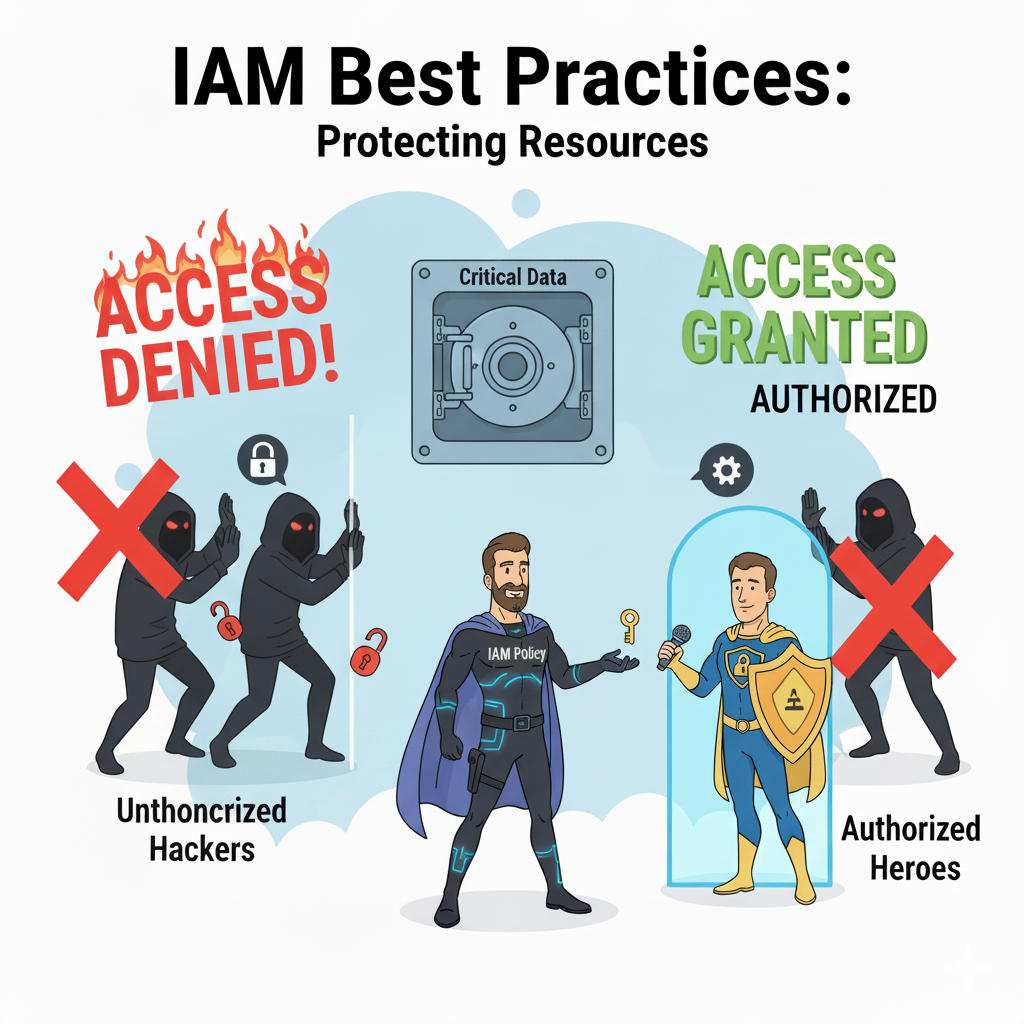
AWS Identity and Access Management (IAM) is the foundation of AWS security. As AWS Hero Ben Kehoe states: "IAM isn't complicated—it's just misunderstood." This portal enhances FsCDK's IAM docs with insights from heroes like Ben Kehoe, Scott Piper, and Yan Cui. Includes narratives, checklists, drills, and resources (4.5+ rated, highly viewed).
Principle of Least Privilege
Always grant only the permissions required to perform a task—this is core to zero-trust security.
Lambda Function Roles
#r "../src/bin/Release/net8.0/publish/Amazon.JSII.Runtime.dll"
#r "../src/bin/Release/net8.0/publish/Constructs.dll"
#r "../src/bin/Release/net8.0/publish/Amazon.CDK.Lib.dll"
#r "../src/bin/Release/net8.0/publish/System.Text.Json.dll"
#r "../src/bin/Release/net8.0/publish/FsCDK.dll"

open FsCDK
open Amazon.CDK
open Amazon.CDK.AWS.Lambda
open Amazon.CDK.AWS.IAM
❌ BAD: Too permissive
Don't grant Lambda full access to everything:
// This grants the Lambda full access to everything!
lambda "MyFunction" {
    runtime Runtime.DOTNET_8
    handler "MyApp::Handler"
    code "./publish"

// role adminRole  // Don't do this!
}
❌ CRITICAL ERROR: Wildcard Actions AND Resources
FsCDK now blocks this at compile time:
// This will FAIL compilation with security error:
policyStatement {
    actions [ "*" ]       // ❌ Wildcard actions
    resources [ "*" ]     // ❌ Wildcard resources
}
// ERROR: PolicyStatement has wildcard actions ('*') AND resources ('*').
//        This grants unrestricted access to ALL AWS services.
⚠️ WARNING: Individual Wildcards
FsCDK warns (but allows) single wildcards:
// This generates a compilation WARNING:
policyStatement {
    actions [ "*" ] // ⚠️ Warning: wildcard actions
    resources [ "arn:aws:s3:::my-bucket/*" ] // ✅ Specific resource
}

// This also generates a compilation WARNING:
policyStatement {
    actions [ "s3:GetObject"; "s3:PutObject" ] // ✅ Specific actions
    resources [ "*" ] // ⚠️ Warning: wildcard resources
}
✅ GOOD: Specific permissions
Grant only specific permissions needed (no warnings):
lambda "MyFunction" {
    runtime Runtime.DOTNET_8
    handler "MyApp::Handler"
    code "./publish"

    // Grant only specific permissions needed
    addRolePolicyStatements
        [ policyStatement {
              effect Effect.ALLOW
              actions [ "dynamodb:GetItem"; "dynamodb:PutItem" ]
              resources [ "arn:aws:dynamodb:us-east-1:123456789012:table/MyTable" ]
          }

          policyStatement {
              effect Effect.ALLOW
              actions [ "s3:GetObject" ]
              resources [ "arn:aws:s3:::my-bucket/*" ]
          } ]
}
Security Group Best Practices
FsCDK security groups follow least privilege by default.
open Amazon.CDK.AWS.EC2

// ✅ GOOD: FsCDK defaults to denying all outbound

stack "MyStack" {
    let! myVpc =
        vpc "MyVpc" {
            maxAzs 2
            natGateways 1
            cidr "10.0.0.0/16"
        }

    securityGroup "MySecurityGroup" {
        vpc myVpc
        description "Security group for Lambda"
        allowAllOutbound false // This is the default!
    }
}
Only allow specific outbound traffic (Note: In real code, you'd add ingress/egress rules after creation).
❌ BAD: Allowing all outbound unnecessarily:
stack "MyStack" {

    let! myVpc =
        vpc "MyVpc" {
            maxAzs 2
            natGateways 1
            cidr "10.0.0.0/16"
        }

    securityGroup "TooPermissive" {
        vpc myVpc
        allowAllOutbound true // Only use when absolutely necessary
    }
}
RDS Database Access
Restrict database access to specific security groups.
open Amazon.CDK.AWS.RDS

// ✅ GOOD: Database in private subnet with restricted access


stack "MyStack" {
    let! myVpc =
        vpc "MyVpc" {
            maxAzs 2
            natGateways 1
            cidr "10.0.0.0/16"
        }

    let! lambdaSecurityGroup =
        securityGroup "MySecurityGroup" {
            vpc myVpc
            description "Security group for Lambda"
            allowAllOutbound false // This is the default!
        }

    rdsInstance "MyDatabase" {
        vpc myVpc
        postgresEngine

        // Private subnet - not accessible from the internet
        vpcSubnets (SubnetSelection(SubnetType = SubnetType.PRIVATE_WITH_EGRESS))

        // Not publicly accessible
        publiclyAccessible false

        // Only Lambda security group can access
        securityGroup lambdaSecurityGroup

        // Enable IAM authentication for better security
        iamAuthentication true
    }
}
Cognito Security
Implement strong authentication and authorization.
open Amazon.CDK.AWS.Cognito

stack "MyStack" {
    // ✅ GOOD: Secure user pool configuration
    let! myUserPool =
        userPool "SecureUserPool" {
            signInWithEmail

            // Disable self sign-up to prevent unauthorized accounts
            selfSignUpEnabled false // Approve users manually or via API

            // Require MFA for sensitive operations
            mfa Mfa.REQUIRED

            // Strong password policy
            passwordPolicy (
                PasswordPolicy(
                    MinLength = 12,
                    RequireLowercase = true,
                    RequireUppercase = true,
                    RequireDigits = true,
                    RequireSymbols = true,
                    TempPasswordValidity = Duration.Days(7.0)
                )
            )

            // Account recovery via email only (more secure than SMS)
            accountRecovery AccountRecovery.EMAIL_ONLY
        }

    // ✅ GOOD: Secure client configuration
    userPoolClient "SecureClient" {
        userPool myUserPool

        // Don't generate secret for public clients (web/mobile)
        generateSecret false

        // Use SRP for secure authentication
        authFlows (
            AuthFlow(
                UserSrp = true,
                UserPassword = true,
                AdminUserPassword = false // Don't allow admin-initiated auth
            )
        )

        // Short-lived tokens
        tokenValidities (
            (Duration.Minutes 60.0), // refreshToken
            (Duration.Minutes 60.0), // accessToken
            (Duration.Days 30.0) // idToken
        )
    }
}
S3 Bucket Policies
Secure your S3 buckets properly.
open Amazon.CDK.AWS.S3

// ✅ GOOD: Secure S3 bucket
bucket "SecureAssets" {
    // Block all public access
    blockPublicAccess BlockPublicAccess.BLOCK_ALL

    // Encrypt data at rest
    encryption BucketEncryption.S3_MANAGED

    // Enforce SSL for all requests
    enforceSSL true

    // Enable versioning for data protection
    versioned true

    // Prevent accidental deletion
    removalPolicy RemovalPolicy.RETAIN
    autoDeleteObjects false
}
CloudFront CDN Security
Secure content delivery with CloudFront.
open Amazon.CDK.AWS.CloudFront
Common IAM Patterns
Read-Only Access to DynamoDB
lambda "ReadOnlyFunction" {
    runtime Runtime.DOTNET_8
    handler "MyApp::Handler"
    code "./publish"

    addRolePolicyStatement (
        policyStatement {
            effect Effect.ALLOW

            actions
                [ "dynamodb:GetItem"
                  "dynamodb:Query"
                  "dynamodb:Scan"
                  "dynamodb:BatchGetItem" ]

            resources [ "arn:aws:dynamodb:us-east-1:123456789012:table/MyTable" ]
        }
    )
}
Write Access to S3 Bucket
lambda "S3Writer" {
    runtime Runtime.DOTNET_8
    handler "MyApp::Handler"
    code "./publish"

    addRolePolicyStatement (
        policyStatement {
            effect Effect.ALLOW
            actions [ "s3:PutObject"; "s3:PutObjectAcl" ]
            resources [ "arn:aws:s3:::my-bucket/*" ]
        }
    )
}
Read from SQS Queue
open Amazon.CDK.AWS.SQS

lambda "QueueProcessor" {
    runtime Runtime.DOTNET_8
    handler "MyApp::Handler"
    code "./publish"

    addRolePolicyStatement (
        policyStatement {
            effect Effect.ALLOW
            actions [ "sqs:ReceiveMessage"; "sqs:DeleteMessage"; "sqs:GetQueueAttributes" ]
            resources [ "arn:aws:sqs:us-east-1:123456789012:my-queue" ]
        }
    )
}
Publish to SNS Topic
open Amazon.CDK.AWS.SNS

lambda "NotificationSender" {
    runtime Runtime.DOTNET_8
    handler "MyApp::Handler"
    code "./publish"

    addRolePolicyStatement (
        policyStatement {
            effect Effect.ALLOW
            actions [ "sns:Publish" ]
            resources [ "arn:aws:sns:us-east-1:123456789012:my-topic" ]
        }
    )
}
Virtual Private Cloud (VPC) Security
Network isolation and security.
// ✅ GOOD: Properly segmented VPC
vpc "SecureVpc" {
    maxAzs 2

    // Subnet configuration (done via CDK)
    // - Public subnets: NAT Gateways, Load Balancers
    // - Private subnets: Lambda, ECS, RDS
    // - Isolated subnets: Highly sensitive resources

    // NAT Gateways for private subnet internet access
    natGateways 2 // One per AZ for HA

// Enable VPC Flow Logs for monitoring
// (Note: Would need to be configured separately)
}

// Place sensitive resources in private subnets

stack "DatabaseStack" {
    let! myVpc =
        vpc "MyVpc" {
            maxAzs 2
            natGateways 1
            cidr "10.0.0.0/16"
        }

    let! lambdaSecurityGroup =
        securityGroup "MySecurityGroup" {
            vpc myVpc
            description "Security group for Lambda"
            allowAllOutbound false // This is the default!
        }

    rdsInstance "Database" {
        vpc myVpc
        postgresEngine
        vpcSubnets (SubnetSelection(SubnetType = SubnetType.PRIVATE_WITH_EGRESS))
        publiclyAccessible false
    }

    lambda "PrivateFunction" {
        runtime Runtime.DOTNET_8
        handler "MyApp::Handler"
        code "./publish"
        vpcSubnets (subnetSelection { subnetType SubnetType.PRIVATE_WITH_EGRESS })
        securityGroups [ lambdaSecurityGroup ]
    }
}
Monitoring and Auditing
Enable CloudTrail and monitoring.
// Enable detailed monitoring
lambda "MonitoredFunction" {
    runtime Runtime.DOTNET_8
    handler "MyApp::Handler"
    code "./publish"

    // Enable AWS X-Ray tracing
    tracing Tracing.ACTIVE

    // Enable Lambda Insights
    insightsVersion LambdaInsightsVersion.VERSION_1_0_229_0
}

// Enable RDS Performance Insights


stack "DatabaseStack" {
    let! myVpc =
        vpc "MyVpc" {
            maxAzs 2
            cidr "10.0.0.0/16"
        }

    rdsInstance "MonitoredDatabase" {
        vpc myVpc
        postgresEngine
        enablePerformanceInsights true
    }
}
Secrets Management
Never hardcode secrets!
❌ BAD: Hardcoded secrets
lambda "BadFunction" {
    runtime Runtime.DOTNET_8
    handler "MyApp::Handler"
    code "./publish"

    environment [ "DB_PASSWORD", "mypassword123" ] // Never do this!
}
✅ GOOD: Use Secrets Manager or Parameter Store
stack "DatabaseStack" {

    lambda "GoodFunction" {
        runtime Runtime.DOTNET_8
        handler "MyApp::Handler"
        code "./publish"

        environment [ "DB_SECRET_ARN", "arn:aws:secretsmanager:us-east-1:123456789012:secret:db-secret" ]

        // Grant permission to read secret
        addRolePolicyStatement (
            policyStatement {
                effect Effect.ALLOW
                actions [ "secretsmanager:GetSecretValue" ]
                resources [ "arn:aws:secretsmanager:us-east-1:123456789012:secret:db-secret" ]
            }
        )
    }

    let! myVpc =
        vpc "MyVpc" {
            maxAzs 2
            cidr "10.0.0.0/16"
        }

    // RDS can generate and manage secrets automatically
    rdsInstance "SecureDatabase" {
        vpc myVpc
        postgresEngine

        // Credentials automatically stored in Secrets Manager
        credentials (Credentials.FromGeneratedSecret "admin")
    }
}
Compliance Considerations
GDPR/Data Privacy
stack "DatabaseStack" {

    let! myVpc =
        vpc "MyVpc" {
            maxAzs 2
            cidr "10.0.0.0/16"
        }

    // Enable encryption for data at rest
    bucket "UserData" {
        encryption BucketEncryption.KMS_MANAGED // Customer managed keys
        blockPublicAccess BlockPublicAccess.BLOCK_ALL
    }

    rdsInstance "UserDatabase" {
        vpc myVpc
        postgresEngine
        storageEncrypted true
        deletionProtection true
    }

    // Enable audit logging
    userPool "CompliantUserPool" {
        signInWithEmail
    // Cognito automatically logs authentication events
    }
}
HIPAA/PHI Data
stack "DatabaseStack" {
    // Use KMS encryption for sensitive data
    bucket "HealthRecords" {
        encryption BucketEncryption.KMS_MANAGED
        versioned true
        removalPolicy RemovalPolicy.RETAIN
    }

    let! myVpc =
        vpc "MyVpc" {
            maxAzs 2
            cidr "10.0.0.0/16"
        }

    // Enable audit trails
    rdsInstance "HealthDatabase" {
        vpc myVpc
        postgresEngine
        storageEncrypted true
        backupRetentionDays 30.0 // Longer retention for compliance
        deletionProtection true
    }
}
OWASP Top 10 Applied to AWS Infrastructure
The OWASP Top 10 (https://owasp.org/www-project-top-ten/) defines critical web application security risks. Here's how they map to AWS infrastructure and FsCDK protections:
OWASP Risk |
AWS Context |
FsCDK Protection |
|---|---|---|
A01: Broken Access Control |
IAM too permissive, public S3 |
Blocks wildcard actions+resources, private S3 default |
A02: Cryptographic Failures |
Unencrypted data, no TLS |
RDS/DynamoDB encryption enabled, HTTPS enforced |
A03: Injection |
SQL/command injection |
IAM DB auth, parameterized queries, AWS WAF |
A05: Security Misconfiguration |
Public S3, open security groups |
Secure defaults, deny-by-default security groups |
A07: Broken Authentication |
Weak passwords, no MFA |
Cognito password policies, MFA enforcement |
A08: Integrity Failures |
Compromised packages |
ECR image scanning, Lambda code signing |
A09: Logging Failures |
No CloudTrail/GuardDuty |
X-Ray tracing, CloudWatch logs, audit trails |
OWASP Serverless Top 10 for Lambda: 1. Injection flaws → validate inputs 2. Broken authentication → use Cognito authorizers 3. Sensitive data exposure → encrypt with KMS 4. Broken access control → IAM resource policies 5. Security misconfiguration → FsCDK secure defaults 6. Over-privileged permissions → FsCDK blocks wildcards 7. Inadequate logging → enable X-Ray tracing 8. Business logic manipulation → validate state transitions 9. Improper exception handling → don't leak secrets in errors 10. DoS attacks → use reserved concurrency limits
Reference: OWASP Serverless Top 10 (https://owasp.org/www-project-serverless-top-10/)
Operational Checklist
Use this before prod deploys (inspired by Piper's audits): 1. Validate policies with IAM Access Analyzer. 2. Enable MFA and rotate keys. 3. Scan for secrets with git-secrets. 4. Run Prowler for compliance. 5. Document all roles/policies.
Deliberate Practice Drills
Drill 1: Policy Crafting
- Write a policy allowing only S3:PutObject to a bucket.
- Test with Policy Simulator.
- Add conditions (e.g., IP restriction).
Drill 2: Privilege Escalation
- Use IAM Vulnerable to simulate attacks.
- Identify and fix escalations in sample policies.
📚 Learning Resources for IAM & AWS Security
AWS Official Documentation
IAM Fundamentals:
- IAM User Guide - Complete IAM documentation
- IAM Best Practices - Official AWS recommendations
- IAM Policies and Permissions - Policy structure explained
- IAM Policy Simulator - Test policies before deployment
Security Best Practices:
- AWS Security Best Practices - Comprehensive security guidance
- AWS Well-Architected Framework - Security Pillar - The 5 pillars of security
- AWS Security Hub - Centralized security monitoring
- AWS GuardDuty - Threat detection service
AWS Heroes & Security Experts
Ben Kehoe (@ben11kehoe) - AWS Serverless Hero:
- IAM Roles Everywhere - AWS re:Invent talk on IAM roles
- AWS IAM Best Practices - Official IAM guidance
- Follow on Mastodon: @ben11kehoe@mastodon.social for latest insights
Scott Piper (@0xdabbad00) - AWS Security Hero:
- Flaws.cloud - Learn AWS security through CTF challenges
- CloudSploit - AWS security scanning tool
- Summit Route Blog - AWS security research and common pitfalls
- IAM Vulnerable - Learn IAM privilege escalation
Yan Cui (The Burning Monk) - Serverless Security:
- The Burning Monk Blog - Comprehensive serverless best practices and security articles
IAM Deep Dives
Policy Evaluation Logic:
- Policy Evaluation Logic - How AWS evaluates permissions
- IAM JSON Policy Elements - Effect, Action, Resource, Condition
- Policy Variables - Dynamic policy values
- Service Control Policies (SCPs) - Organization-wide guardrails
Least Privilege:
- Grant Least Privilege - Only grant what's needed
- IAM Access Analyzer - Find overly permissive policies
- Access Advisor - See unused permissions
- Policy Generator - Create policies visually
IAM Roles & Temporary Credentials:
- IAM Roles - Temporary credentials for services
- Assume Role - Cross-account access
- Session Policies - Further restrict temporary credentials
- OIDC Federation - GitHub Actions, Google, etc.
Serverless Security
Lambda Security Best Practices:
- Lambda Security Overview - Official security guide
- Lambda Execution Roles - Least privilege for functions
- Lambda Resource Policies - Who can invoke your functions
- VPC Security for Lambda - Private resource access
API Gateway Security:
- API Gateway Authorization - IAM, Cognito, Lambda authorizers
- Lambda Authorizers - Custom authentication
- API Keys - Rate limiting and quotas
- WAF Integration - Protect against attacks
Secrets Management:
- AWS Secrets Manager - Rotate and manage secrets
- Systems Manager Parameter Store - Secure configuration storage
- Lambda Environment Variables - Encrypted with KMS
- Secrets Manager Lambda Extension - Caching secrets in Lambda
AWS Security Services
Detection & Response:
- AWS GuardDuty - Threat detection
- AWS Security Hub - Centralized security findings
- Amazon Detective - Security investigation
- AWS Macie - Discover sensitive data in S3
Compliance & Auditing:
- AWS CloudTrail - Audit all API calls
- AWS Config - Resource configuration tracking
- AWS Audit Manager - Continuous auditing
- AWS Artifact - Compliance reports
Encryption & Key Management:
- AWS KMS - Managed encryption keys
- KMS Key Policies - Control key access
- Envelope Encryption - Data encryption pattern
- AWS CloudHSM - Hardware security modules
Security Frameworks & Compliance
Compliance Standards:
- AWS Compliance Programs - HIPAA, PCI-DSS, SOC 2, etc.
- HIPAA on AWS - Healthcare compliance
- PCI-DSS on AWS - Payment card industry
- GDPR on AWS - Data privacy
Security Frameworks:
- AWS Well-Architected Security Pillar - 7 design principles
- CIS AWS Foundations Benchmark - Industry best practices
- NIST Cybersecurity Framework - Federal security standards
- OWASP Top 10 - Web application security risks
Video Tutorials
IAM Fundamentals: - IAM Primer - AWS official introduction - Become an IAM Policy Master - Comprehensive tutorial - IAM Roles Explained - Understanding roles
Advanced Security:
- AWS re:Inforce Security Conference - Annual security-focused event
- IAM Policy Deep Dive - Advanced policy patterns
- Cross-Account Access - Secure multi-account strategies
Serverless Security:
- Serverless Security Best Practices - AWS re:Invent
- Lambda Security Deep Dive - Production patterns
- API Gateway Authorization - Custom authorizers
Security Tools & Utilities
Policy Analysis:
- Parliament - IAM policy linter
- IAM Policy Validator - Validate CloudFormation IAM
- Cloudsplaining - Identify overprivileged policies
- IAMbic - IAM as code
Security Scanning:
- Prowler - AWS security best practices scanner
- ScoutSuite - Multi-cloud security auditing
- CloudMapper - Visualize AWS environments
- PMapper - IAM privilege escalation analysis
Secrets Detection:
- git-secrets - Prevent committing secrets
- TruffleHog - Find secrets in git history
- detect-secrets - Prevent secrets in code
Hands-On Learning
AWS Security Workshops:
- AWS Security Workshops - Official hands-on labs
- IAM Workshop - Deep dive into IAM
- Serverless Security Workshop - Secure serverless apps
- Well-Architected Security Labs - Security best practices
Security Challenges:
- flaws.cloud - CTF-style AWS security challenges
- flaws2.cloud - Advanced AWS security challenges
- CloudGoat - Vulnerable AWS environments
Recommended Learning Path
Week 1 - IAM Fundamentals:
- Read IAM User Guide - Chapters 1-5
- Watch IAM Primer Video
- Practice with IAM Policy Simulator
- Review FsCDK IAM examples (this document)
Week 2 - Policy Mastery:
- Study Policy Evaluation Logic
- Follow AWS Security Blog for latest IAM updates
- Use IAM Access Analyzer
- Take IAM Workshop
Week 3 - Security Services:
- Enable AWS GuardDuty
- Configure Security Hub
- Set up CloudTrail
- Run Prowler security scan
Week 4 - Serverless Security:
- Read Lambda Security Best Practices
- Implement Secrets Manager in Lambda
- Add Lambda authorizers to API Gateway
- Take Serverless Security Workshop
Ongoing - Security Mastery:
- Complete flaws.cloud and flaws2.cloud challenges
- Watch AWS re:Inforce sessions
- Follow AWS Security Blog
- Run weekly Prowler scans
AWS Security Experts to Follow
 AWS Heroes and community experts who contribute to cloud security knowledge
AWS Heroes:
- Ben Kehoe - IAM and serverless security
- Scott Piper - Cloud security, IAM privilege escalation
- Chris Farris - AWS security and compliance
- Yan Cui - Serverless security
Security Researchers:
- Mark Nunnikhoven - Cloud security best practices
- Corey Quinn - AWS cost and security
- Ian Mckay - AWS security tools
AWS Security Team:
- Follow AWS Security Blog
- Subscribe to AWS Security Bulletins
Common Security Pitfalls
❌ DON'T:
- Use root account for daily tasks → Create IAM users with least privilege
- Hardcode AWS credentials → Use IAM roles for services, temporary credentials for users
- Use wildcard (*) in policies → Be specific with actions and resources
- Ignore CloudTrail logs → Enable and monitor for suspicious activity
- Share IAM credentials → Each person gets their own IAM user/role
- Leave unused access keys active → Rotate regularly, delete unused keys
- Grant broad S3 permissions → Use specific bucket and prefix restrictions
- Disable MFA → Enable MFA for all human users, especially admins
✅ DO:
- Use IAM roles for services → Lambda, EC2, ECS should use roles
- Enable MFA for all users → Especially for privileged accounts
- Rotate credentials regularly → 90-day rotation policy
- Use CloudTrail and Config → Audit all API calls and configuration changes
- Apply least privilege → Grant only necessary permissions
- Enable GuardDuty → Detect threats automatically
- Use Secrets Manager → Store and rotate secrets securely
- Tag resources → Enforce ABAC (Attribute-Based Access Control)
FsCDK Security Features
Security by Default:
- Lambda functions use least-privilege execution roles
- S3 buckets block public access and enforce SSL
- Security groups deny all outbound by default
- Environment variables encrypted with KMS
- CloudWatch Logs retention configured
IAM Helpers:
grantbuilder for simple IAM permissionspolicyStatementfor custom policies- Automatic role creation with minimal permissions
- Support for managed policies
For implementation details, see src/IAM.fs and src/Grants.fs in the FsCDK repository.
Additional Security Resources
- AWS Well-Architected Framework - Security Pillar
- AWS Security Best Practices
- Yan Cui's Serverless Security Best Practices
- OWASP Top 10
- Have I Been Pwned - Troy Hunt's breach notification service.
- CIS AWS Foundations Benchmark
<summary>Creates a Lambda function configuration.</summary>
<param name="name">The function name.</param>
<code lang="fsharp"> lambda "MyFunction" { handler "index.handler" runtime Runtime.NODEJS_18_X code "./lambda" timeout 30.0 } </code>
<summary>Sets the runtime for the Lambda function.</summary>
<param name="config">The function configuration.</param>
<param name="runtime">The Lambda runtime.</param>
<code lang="fsharp"> lambda "MyFunction" { runtime Runtime.NODEJS_18_X } </code>
type Runtime = inherit DeputyBase new: name: string * ?family: Nullable<RuntimeFamily> * ?props: ILambdaRuntimeProps -> unit member RuntimeEquals: other: Runtime -> bool member ToString: unit -> string member BundlingImage: DockerImage member Family: Nullable<RuntimeFamily> member IsVariable: bool member Name: string member SupportsCodeGuruProfiling: bool member SupportsInlineCode: bool ...
--------------------
Runtime(name: string, ?family: System.Nullable<RuntimeFamily>, ?props: ILambdaRuntimeProps) : Runtime
<summary>Sets the handler for the Lambda function.</summary>
<param name="config">The function configuration.</param>
<param name="handler">The handler name (e.g., "index.handler").</param>
<code lang="fsharp"> lambda "MyFunction" { handler "index.handler" } </code>
<summary>Sets the code source from a Code object.</summary>
<param name="config">The function configuration.</param>
<param name="path">The Code object.</param>
<code lang="fsharp"> lambda "MyFunction" { code (Code.FromBucket myBucket "lambda.zip") } </code>
<summary>Creates a VPC configuration with AWS best practices.</summary>
<param name="name">The VPC name.</param>
<code lang="fsharp"> vpc "MyVpc" { maxAzs 2 natGateways 1 cidr "10.0.0.0/16" } </code>
<summary>Sets the maximum number of Availability Zones to use.</summary>
<param name="config">The current VPC configuration.</param>
<param name="maxAzs">The maximum number of AZs (default: 2 for HA).</param>
<code lang="fsharp"> vpc "MyVpc" { maxAzs 3 } </code>
<summary>Sets the number of NAT Gateways.</summary>
<param name="config">The current VPC configuration.</param>
<param name="natGateways">The number of NAT gateways (default: 1 for cost optimization).</param>
<code lang="fsharp"> vpc "MyVpc" { natGateways 2 } </code>
<summary>Sets the CIDR block for the VPC.</summary>
<param name="config">The current VPC configuration.</param>
<param name="cidr">The CIDR block (e.g., "10.0.0.0/16").</param>
<code lang="fsharp"> vpc "MyVpc" { cidr "10.0.0.0/16" } </code>
<summary>Sets the role policy statements list to the provided list (replaces existing).</summary>
<param name="config">The function configuration.</param>
<param name="statements">List of policy statements.</param>
<code lang="fsharp"> lambda "MyFunction" { addRolePolicyStatements [ stmt1; stmt2 ] } </code>
<summary>Creates an AWS CDK Stack construct.</summary>
<param name="name">The name of the stack.</param>
<code lang="fsharp"> stack "MyStack" { lambda myFunction bucket myBucket } </code>
<summary>Creates a Security Group configuration.</summary>
<param name="name">The Security Group name.</param>
<code lang="fsharp"> securityGroup "MySecurityGroup" { vpc myVpc description "Security group for my application" allowAllOutbound false } </code>
<summary>Sets the VPC for the Security Group.</summary>
<param name="config">The current Security Group configuration.</param>
<param name="vpc">The VPC.</param>
<code lang="fsharp"> securityGroup "MySecurityGroup" { vpc myVpc } </code>
<summary>Sets the description for the Security Group.</summary>
<param name="config">The current Security Group configuration.</param>
<param name="description">The description.</param>
<code lang="fsharp"> securityGroup "MySecurityGroup" { description "Security group for my application" } </code>
<summary>Sets whether to allow all outbound traffic.</summary>
<param name="config">The current Security Group configuration.</param>
<param name="allow">Whether to allow all outbound (default: false for least privilege).</param>
<code lang="fsharp"> securityGroup "MySecurityGroup" { allowAllOutbound true } </code>
<summary>Creates an RDS Database Instance with AWS best practices.</summary>
<param name="name">The database instance name.</param>
<code lang="fsharp"> rdsInstance "MyDatabase" { vpc myVpc postgresEngine PostgresEngineVersion.VER_15 instanceType (InstanceType.Of(InstanceClass.BURSTABLE3, InstanceSize.SMALL)) multiAz true backupRetentionDays 7.0 } </code>
<summary>Sets the VPC.</summary>
<summary>Sets PostgreSQL as the database engine with a specific version.</summary>
<summary>Sets the VPC subnets.</summary>
type SubnetSelection = interface ISubnetSelection new: unit -> unit member AvailabilityZones: string array member OnePerAz: Nullable<bool> member SubnetFilters: SubnetFilter array member SubnetGroupName: string member SubnetType: Nullable<SubnetType> member Subnets: ISubnet array
--------------------
SubnetSelection() : SubnetSelection
<summary>Sets whether the database is publicly accessible.</summary>
<summary>Adds a security group.</summary>
<summary>Enables IAM authentication.</summary>
<summary>Creates a Cognito User Pool with AWS best practices.</summary>
<param name="name">The user pool name.</param>
<code lang="fsharp"> userPool "MyUserPool" { signInWithEmail selfSignUpEnabled true mfa Mfa.OPTIONAL } </code>
<summary>Enables email only as sign-in alias.</summary>
<summary>Enables or disables self sign-up.</summary>
<summary>Sets MFA configuration.</summary>
<summary>Sets password policy.</summary>
type PasswordPolicy = interface IPasswordPolicy new: unit -> unit member MinLength: Nullable<float> member PasswordHistorySize: Nullable<float> member RequireDigits: Nullable<bool> member RequireLowercase: Nullable<bool> member RequireSymbols: Nullable<bool> member RequireUppercase: Nullable<bool> member TempPasswordValidity: Duration
--------------------
PasswordPolicy() : PasswordPolicy
<summary>Sets account recovery method.</summary>
<summary>Creates a Cognito User Pool Client.</summary>
<param name="name">The client name.</param>
<code lang="fsharp"> userPoolClient "MyAppClient" { userPool myUserPool generateSecret false } </code>
<summary>Sets the user pool.</summary>
<summary>Enables or disables secret generation.</summary>
<summary>Sets authentication flows.</summary>
type AuthFlow = interface IAuthFlow new: unit -> unit member AdminUserPassword: Nullable<bool> member Custom: Nullable<bool> member User: Nullable<bool> member UserPassword: Nullable<bool> member UserSrp: Nullable<bool>
--------------------
AuthFlow() : AuthFlow
<summary>Sets token validities.</summary>
type BlockPublicAccess = inherit DeputyBase new: options: IBlockPublicAccessOptions -> unit member BlockPublicAcls: Nullable<bool> member BlockPublicPolicy: Nullable<bool> member IgnorePublicAcls: Nullable<bool> member RestrictPublicBuckets: Nullable<bool> static member BLOCK_ACLS: BlockPublicAccess static member BLOCK_ACLS_ONLY: BlockPublicAccess static member BLOCK_ALL: BlockPublicAccess
--------------------
BlockPublicAccess(options: IBlockPublicAccessOptions) : BlockPublicAccess
<summary> Enables or disables versioning for the S3 bucket. **Security Best Practice:** Enable versioning for: - Critical data that requires audit trails - Data subject to compliance requirements (HIPAA, SOC2, etc.) - Production buckets storing business data **Cost Consideration:** Versioning stores all versions of objects, increasing storage costs. Only disable for: - Temporary/cache buckets - Build artifacts with short lifecycle - Development/testing buckets **Default:** false (opt-in for cost optimization) </summary>
<param name="value">True to enable versioning, false to disable.</param>
<param name="config">The current bucket configuration.</param>
<code lang="fsharp"> bucket "production-data" { versioned true // Enable for production } bucket "cache-bucket" { versioned false // Disable for temp data } </code>
<summary> Factory helpers to build common IBehaviorOptions for S3 and HTTP origins. These helpers are useful if you prefer to construct behaviors and pass them via defaultBehavior/additionalBehavior. </summary>
<summary>Creates a CloudFront distribution with AWS best practices.</summary>
<param name="name">The distribution name.</param>
<remarks> Example: cloudFrontDistribution "MyCDN" { s3DefaultBehavior myBucket defaultRootObject "index.html" domainName "static.example.com" priceClass PriceClass.PRICE_CLASS_100 } </remarks>
<summary>Sets the default behavior from a pre-built IBehaviorOptions.</summary>
<summary>Sets the minimum TLS protocol version.</summary>
<summary>Enables logging to an S3 bucket (optionally with a prefix and cookies flag).</summary>
<summary>Adds a single role policy statement.</summary>
<param name="config">The function configuration.</param>
<param name="statements">Policy statement.</param>
<code lang="fsharp"> lambda "MyFunction" { addRolePolicyStatement stmt } </code>
<summary>Specifies which subnets in the VPC the function should use.</summary>
<param name="config">The function configuration.</param>
<param name="subnets">Subnet selection.</param>
<code lang="fsharp"> lambda "MyFunction" { vpcSubnets (SubnetSelection.SubnetType SubnetType.PRIVATE_WITH_EGRESS) } </code>
<summary>Adds one or more security groups to the function's network configuration.</summary>
<param name="config">The function configuration.</param>
<param name="sgs">List of security groups.</param>
<code lang="fsharp"> lambda "MyFunction" { securityGroups [ sgA; sgB ] } </code>
<summary>Sets the tracing mode for AWS X-Ray.</summary>
<param name="config">The function configuration.</param>
<param name="tracing">Tracing mode (e.g., ACTIVE, PASS_THROUGH).</param>
<code lang="fsharp"> lambda "MyFunction" { tracing Tracing.ACTIVE } </code>
<summary>Sets the Lambda Insights version to enable enhanced monitoring.</summary>
<param name="config">The function configuration.</param>
<param name="version">Insights layer version.</param>
<code lang="fsharp"> lambda "MyFunction" { insightsVersion LambdaInsightsVersion.VERSION_1_0_135_0 } </code>
<summary>Enables performance insights.</summary>
<summary>Sets environment variables for the Lambda function.</summary>
<param name="config">The function configuration.</param>
<param name="env">List of key-value pairs for environment variables.</param>
<code lang="fsharp"> lambda "MyFunction" { environment [ "KEY1", "value1"; "KEY2", "value2" ] } </code>
<summary>Sets the credentials.</summary>
<summary>Enables storage encryption.</summary>
<summary>Enables or disables deletion protection.</summary>
<summary>Sets the backup retention period in days.</summary>